Quick Reference Guides
The platform provides an entry point to integrated data and tools for viral and bacterial infectious disease research. The website is organized by data types and analysis tools. These Quick Reference Guides provide summary information for each of the components of the website, including information on what the component is, what it does, where it is located, and an overview of its features.
Contents:
Primary access to these components is provided through the main menu which is available at the top of the home page. The main menu includes the following options:
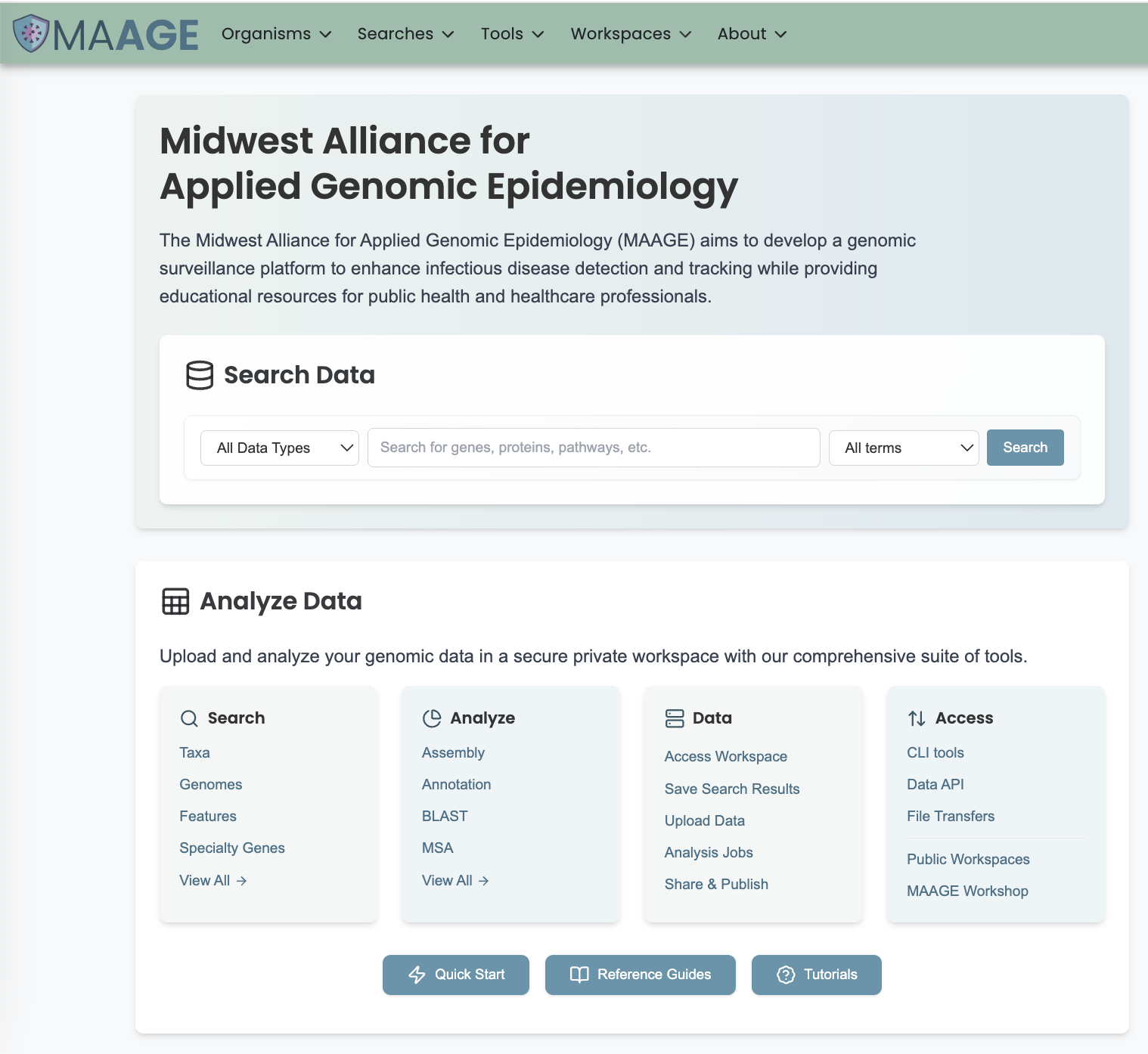
Organisms - links to bacterial and viral data sorted into genera and families, respectively. On each organism page, further divisions into data types are available from the data tabs such as Overview, Taxonomy, Phylogeny, Genome/Strain List, Gene/Features, Protein Families, Protein Structures, etc.
Genomic Surveillance - links to preconfigured and customized dashboards for genomic surveillance of bacterial and viral pathogens. The dashboards provide access to curated data, analysis tools, and visualizations for outbreak investigation and comparative genomics.
Searches - links to specialized advanced searches across the various data types in the platform.
Tools - links to data processing and analysis pipelines. Currently, services are available for processing user-supplied data including Genome Assembly, Genome Annotation, BLAST, Variation Analysis, RNA-Seq Analysis, Protein Family Comparison, Proteome Comparison, Pathway Comparison, and others.
Workspace, Private Data, Groups, Jobs - links to the private workspace and subdirectories in the private workspace; service jobs; and private genomes.
About - links to pages containing additional information such as About, Contact Us, Our Team, Announcements, Outreach, Publications, Citations, Related Resources, and the GitHub code repository.
Registration / Sign In - allows creation of an account, enabling use of services and a private workspace. Alternatively, users can use the “Sign In” option if they already have an account. After logging in, these options are replaced with a person icon, which provides access to the user’s account settings and the option to log out.
Views, Tables, Action Bar - Common navigation elements and tools throughout the website.
System Requirements - Minimal hardware and software needs for the user’s computer in order to be able to use the platform’s features and functionality successfully.